ROI calculator with lead capture
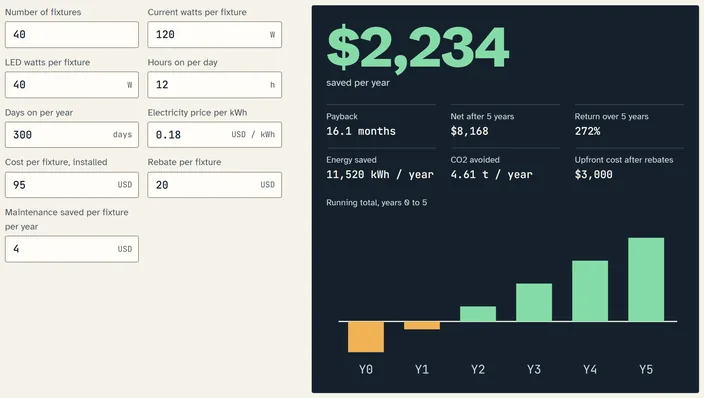
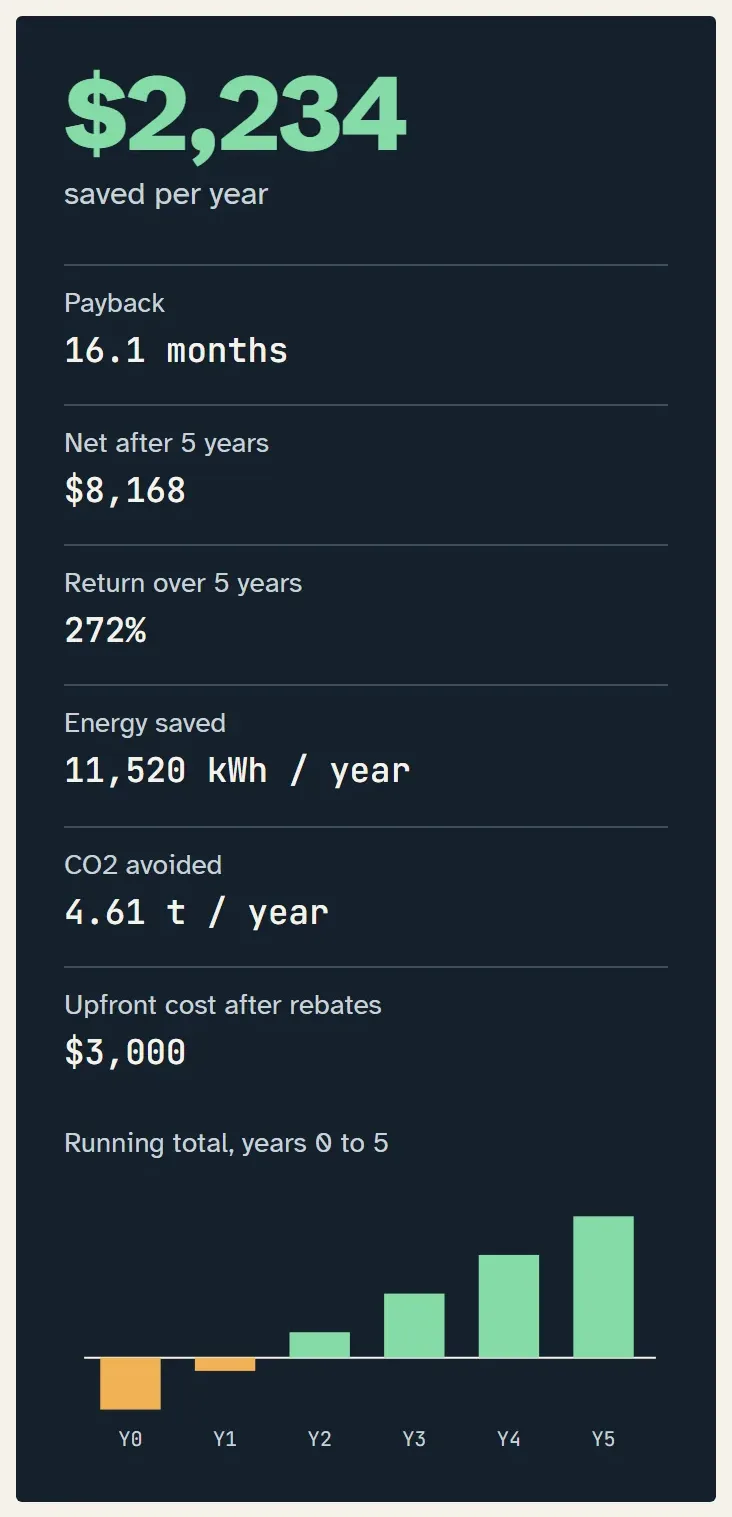
With the demo defaults, 40 fixtures going from 120 W to 40 W LED save $2,234 a year and pay back in 16.1 months.
Demo project, fictional brand · WordPress plugin
- Try the demo Runs in your browser. The email form is off in the demo.
- Download the plugin (zip, 24 KB) Version 1.1.2, tested on WordPress 7.1, GPLv2 or later.
The problem
Visitors want a number for their own case before they talk to sales. I built ROI Estimator, a WordPress plugin, so they see that number while they type and the owner receives the lead. You add it to any page with the shortcode [roi_estimator].
What I checked
- The same 7 formula cases pass on Node 22 and on PHP 7.4, 8.3 and 8.4, with 0 failures: 2 calculated by hand and 5 refused inputs. A formula copy that I broke on purpose fails 8 checks in each of the four runs.
- The browser code and the server give the same verdict on all 21 validation cases: 0 differences. Version 1.0.0 differed on 5 of them.
- 50 checks on the demo page pass with 0 failures, and the console shows 0 errors on desktop and phone. The default results equal the hand-calculated figures.
- I installed the 24 KB zip on a WordPress test site through the plugin upgrader (WP-CLI) and activated it. A page with the shortcode then rendered the calculator. The six test commands, run from the source folder (the zip does not contain the tests), exit 0 on PHP 7.4, 8.3 and 8.4: 18 runs out of 18.
- Tests caught three bugs, including a form that could not send on block themes. I found a fourth by looking at a screenshot: in a 700 px theme column the results card covered half of the inputs, so I added an overlap check for inputs and results to the end-to-end test.
What I built
- Live results while typing: yearly saving, payback, net after five years, return, energy and CO2 saved, with a five-year chart.
- Each number field has a minimum, a maximum and a step, and fixtures and days must be whole numbers. A bad value marks that field and shows one message on it. The browser and the server apply the same rules, and the settings page refuses out-of-range values.
- "Email me this estimate": the visitor gets the estimate by email, the owner gets the lead, and the server recalculates every number.
- A settings page for default values, currency and the lead email. You set the colours with CSS variables (--roi-*) in the theme stylesheet.
Screens
Built with: WordPress plugin (PHP), REST API, vanilla JavaScript, SVG chart
Send me your pricing formula and I will check it in a calculator before it goes live.Contact me