Fillable loan application with e-signature fields
A two-page commercial real estate loan application as a fillable PDF with e-signature fields for two signers.
Demo project, fictional lender · Fillable form
What it is
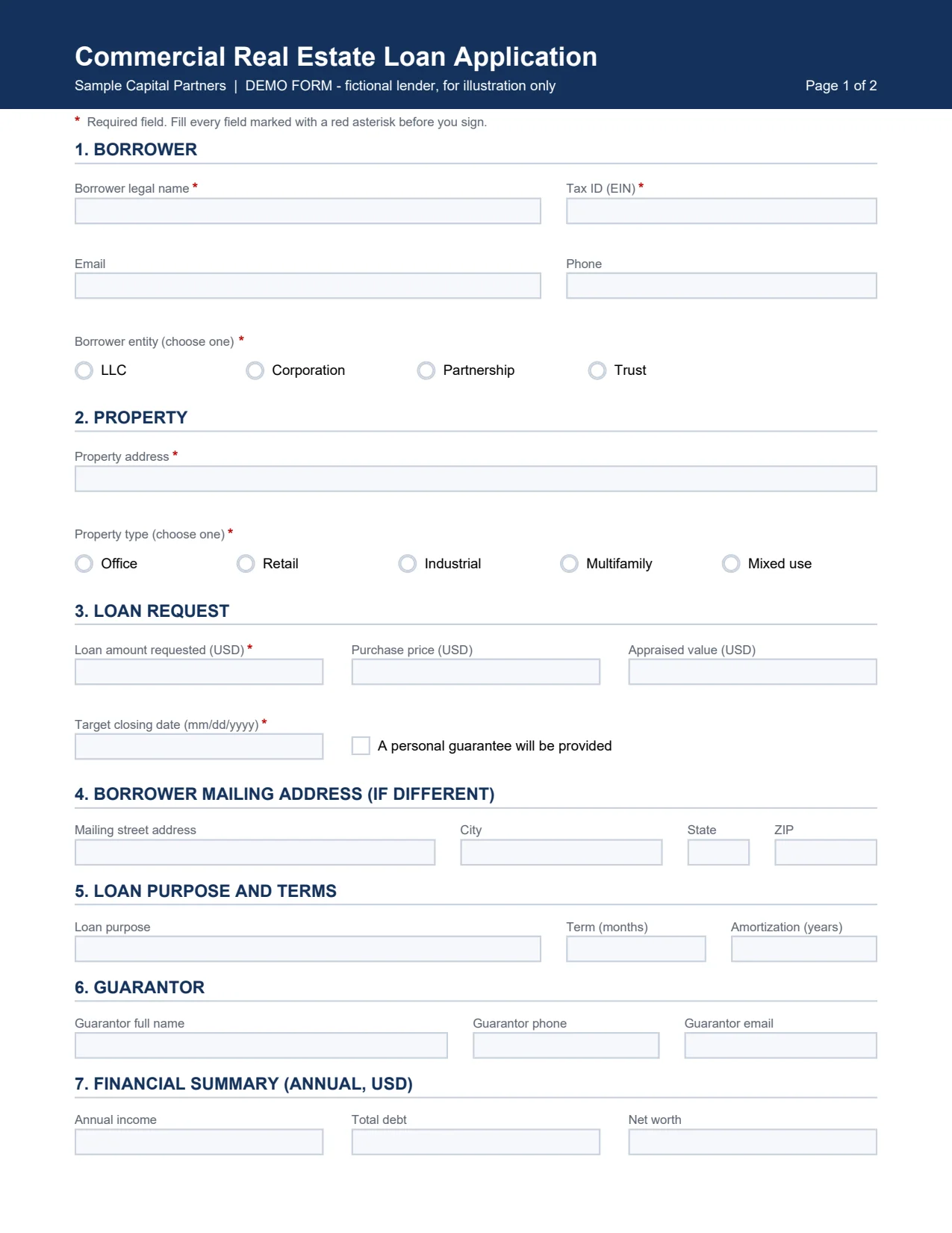
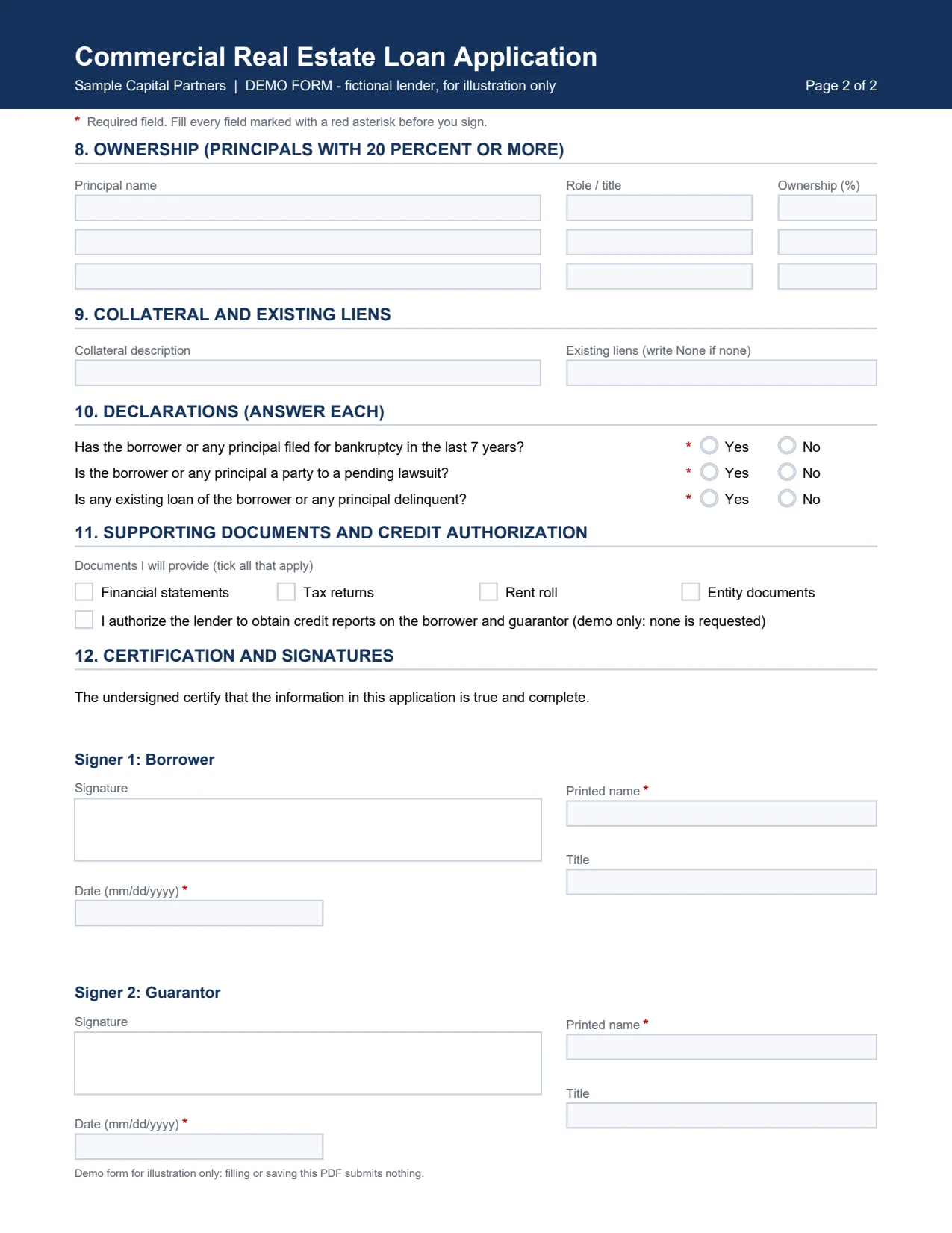
A two-page commercial real estate loan application for a fictional lender, built as a fillable PDF with a signature field for each of the two signers. All data in it is made up. Filling it or saving it submits nothing.
Try it
- Blank form, fictional lender (PDF)
- Filled example, made-up data (PDF)
- How to fill and sign it (short page)
What I built
- Radio groups for every single-choice question: borrower entity, property type and the three yes or no declarations. One click picks one option, so no one can tick two.
- Required fields with a visible red asterisk and a legend line on both pages.
- Tab order that follows each signer: signature, name, title, date, then the next signer.
- 12 sections, including ownership, collateral and existing liens, declarations and supporting documents.
- A tooltip on every field.
- A field map (a JSON file listing each field name, type, options and tab position) for filling the form from a CRM export.
- Signature, name, title and date fields for each of the two signers, with names set for e-signature field assignment.
Before and after
A review of the first version found four problems in the form. All four are fixed in this version.
| Problem found | Before | After |
|---|---|---|
| Forced ticks | Four check boxes for the entity type were each required, so a viewer asked for all four ticked, and the guarantee box was forced ticked. | One radio group with four options. The guarantee box is optional. |
| Required fields | No name, tax ID or amount field was required, and nothing marked a required field. | The right fields are required, each with a red asterisk and a legend. |
| Signer tab order | On page 2 both signature boxes came last in tab order. | Signature, name, title and date for signer 1, then the same for signer 2. |
| Lender sections | No mailing address, guarantor, financial summary, ownership, collateral or declarations. | Those sections are on the form, 12 sections in total. |
What was tested
- 19 automated form checks pass on the PDF: single-choice groups, required flags, red marker and legend, signer tab order, section headings, no overlapping fields, document language and title, and a clean PDF syntax check.
- 52 fields, every one with a unique name and a tooltip.
- 25 of 25 values kept after saving and reopening the file, including empty fields, a mistyped date, radio choices and check boxes.
- 13 more checks pass on the filled example: every required field filled, one radio chosen per group, signature boxes left empty.
Known limits
- I have not tested the form in Adobe Acrobat or in a phone viewer. Browser and phone viewers may not run the form's formats or checks.
- The dollar, date and percent formats are set in the file. I have not run them in a viewer, so I make no claim that they behave.
- I have not tried importing the signer field names into an e-signature service.
- The PDF is not tagged for screen readers, and I make no PDF/UA claim.
- The demo data is fictional, and filling the form submits nothing.
Built with: Fillable PDF (AcroForm), e-signature field naming
Send me your current form and I will turn it into a fillable PDF with named signature fields for each signer.Contact me